Free · Browser-based · Independent fan-made planner

For Tomodachi Life: Living the Dream

Plan your Tomodachi Life: Living the Dream island layout before you build it.

Design terrain, paths and buildings at game-matching scale.

Plan the full island layout grid, preview height in 3D, save locally, and export PNG or JSON from your browser.

No download, install, or account required.

Opens instantly in your browser.

Browser-based Autosaves locally Touch-friendly controls 3D preview PNG + JSON export

2D planner

A complete browser-based island layout planner

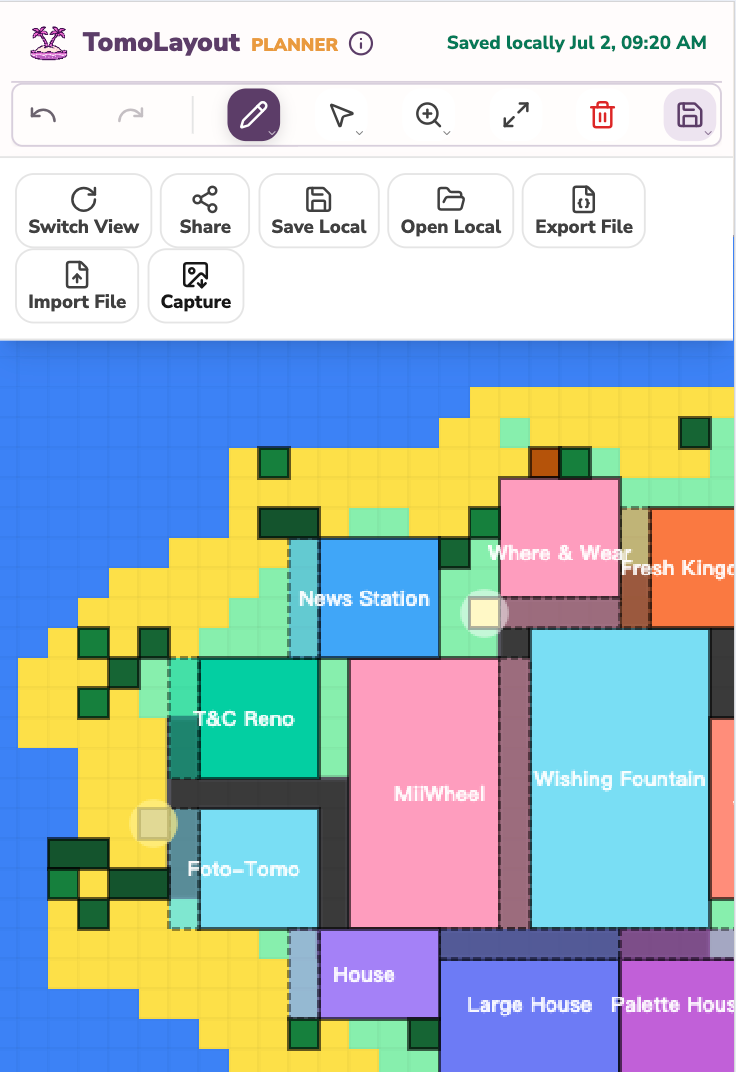
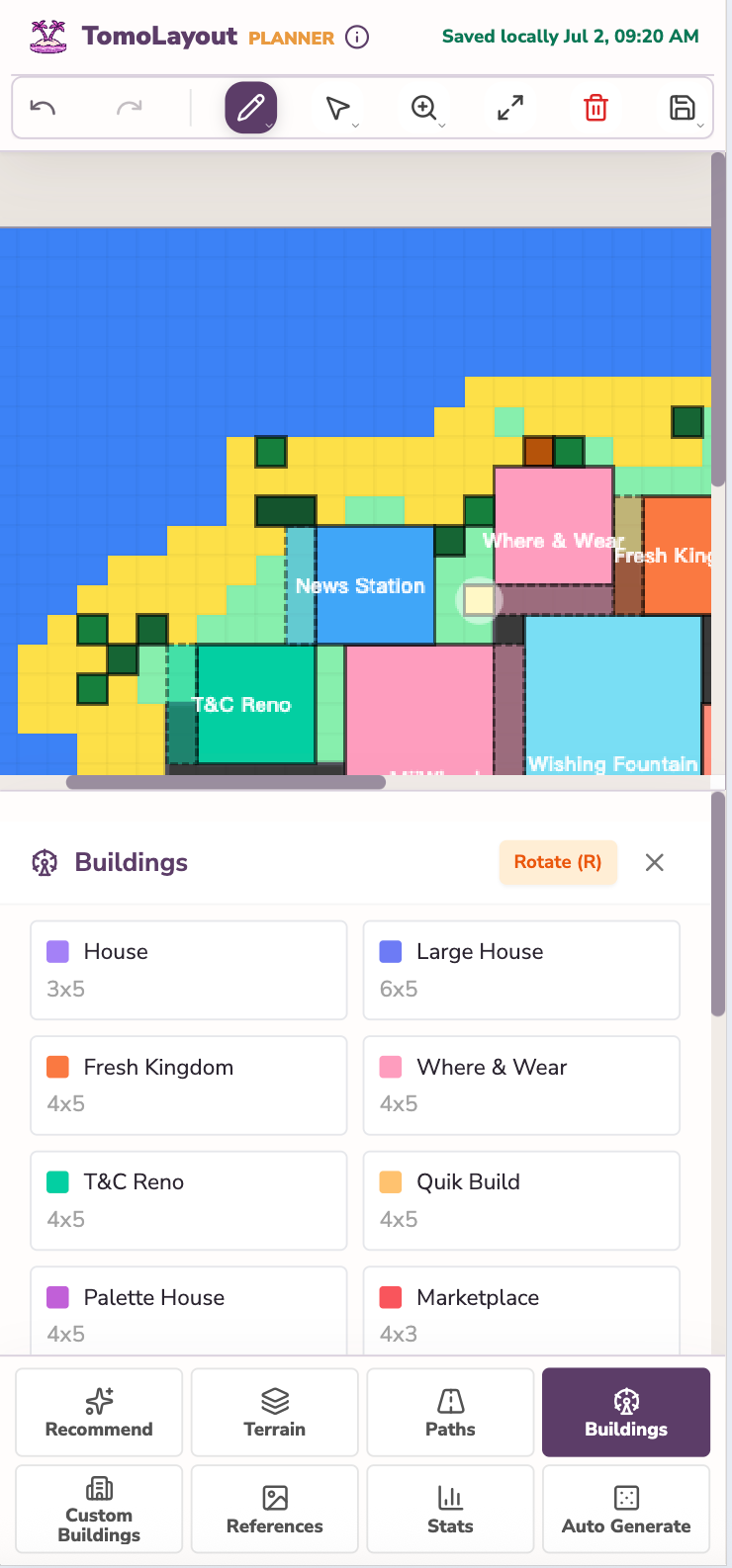
Edit the full island grid, place buildings at game-matching scale, and keep your latest layout saved in this browser.

Touch-friendly controls iOS/Android Browser-based PC PNG + JSON export PNG
A complete browser-based island layout planner

What is TomoLayout, the Tomodachi Life island layout planner?

TomoLayout is a free online island layout planner and island grid tool for Tomodachi Life: Living the Dream. It helps players plan terrain, paths, buildings, homes, facilities, and custom objects before making changes in-game.

2D

A complete browser-based island layout planner

Edit the full island grid, place buildings at game-matching scale, and keep your latest layout saved in this browser.

WEB

Not a save editor

TomoLayout is a planning tool. It does not read, edit, or synchronize with Nintendo Switch save data.

TomoLayout saves the current project to local storage on this device and browser. It does not sync layouts between devices and does not store layouts on the TomoLayout server.

More than a basic island layout grid

The planner includes the production tools already available in the editor, not just a static grid.

Create a starting layout automatically

Create a starting layout automatically

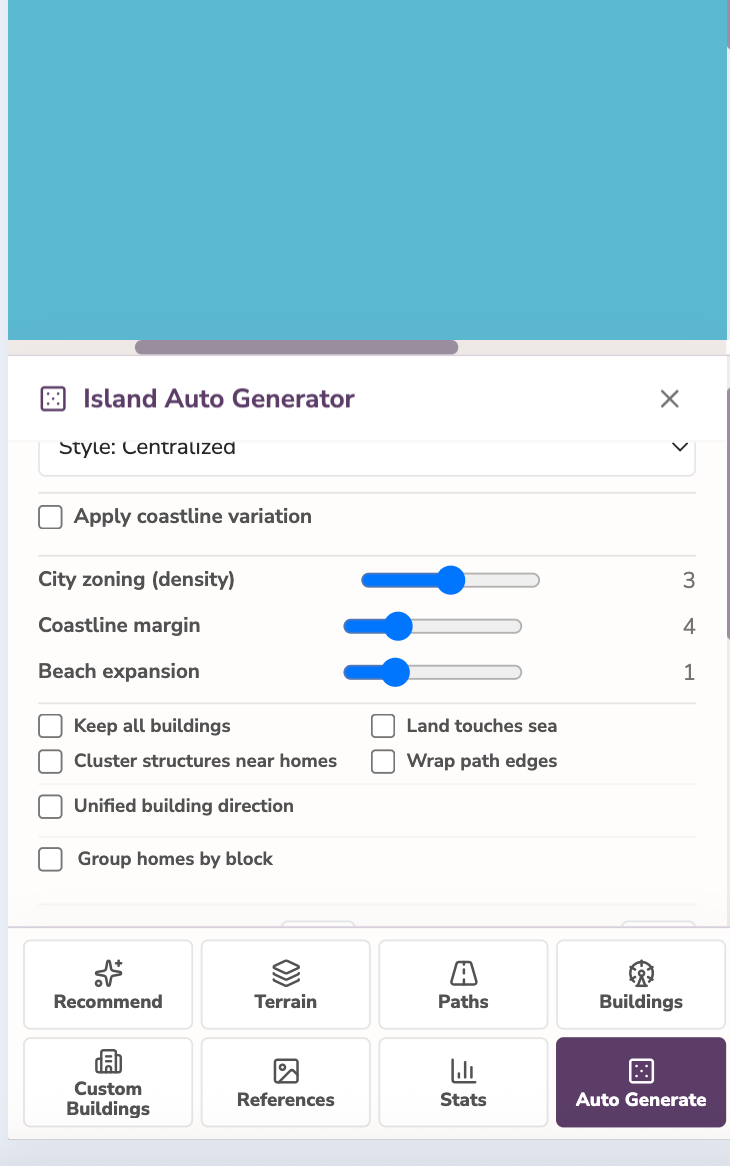
Generate a centralized, clustered, maze-like, or planned-city layout. The automatic layout generator can create a starting point, then you can lock the buildings you want to keep and generate terrain around them, or generate buildings and paths around existing terrain.

Edit large areas quickly

Edit large areas quickly

Paint, fill, erase, draw straight lines, select, move, rotate, and lock. Adjustable 1x1, 3x3, and 5x5 brushes make both detailed edits and large terrain changes faster.

Remember who inspired your layout

Remember who inspired your layout

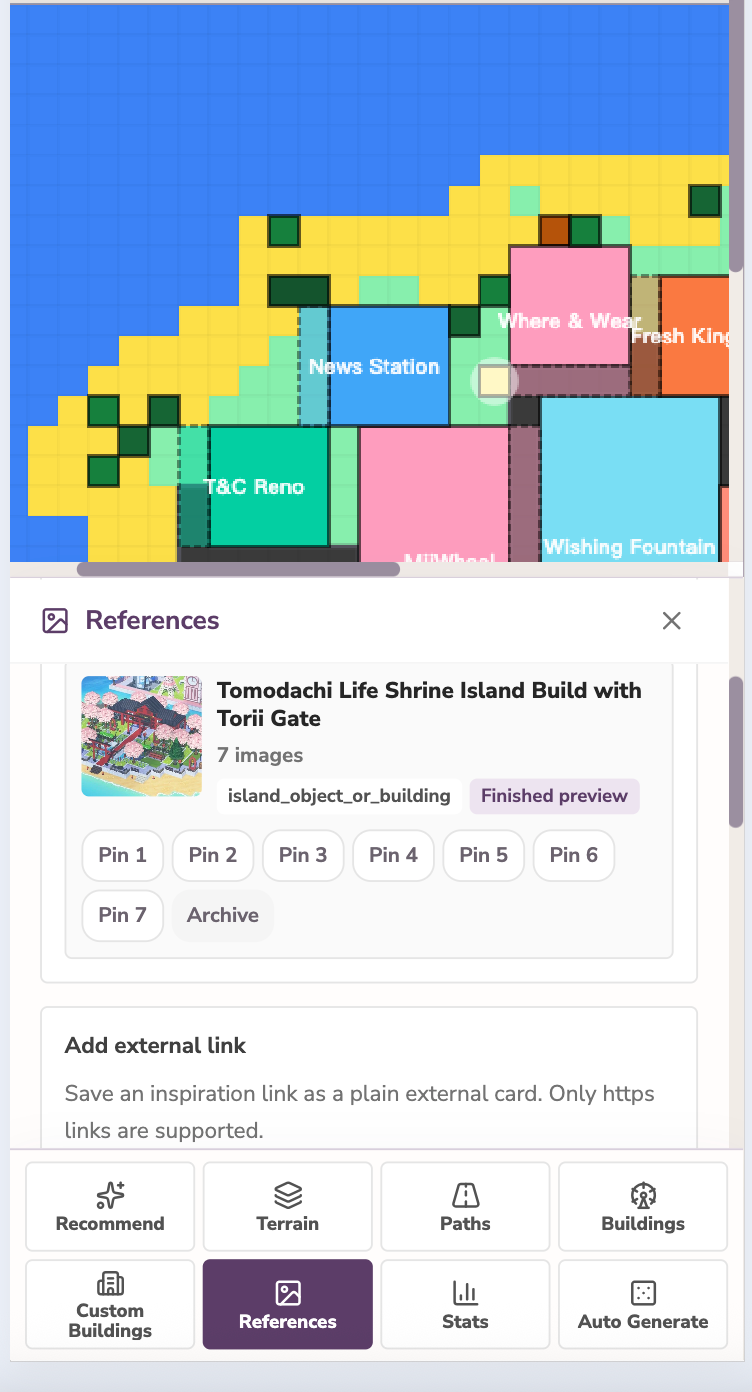
Island ideas often travel across screenshots, languages, and social platforms. TomoLayout helps you keep track of public reference links while you plan, so you can remember which creators inspired your layout and include a simple creator credit when you share your own plan.

Save more than the latest draft

Save more than the latest draft

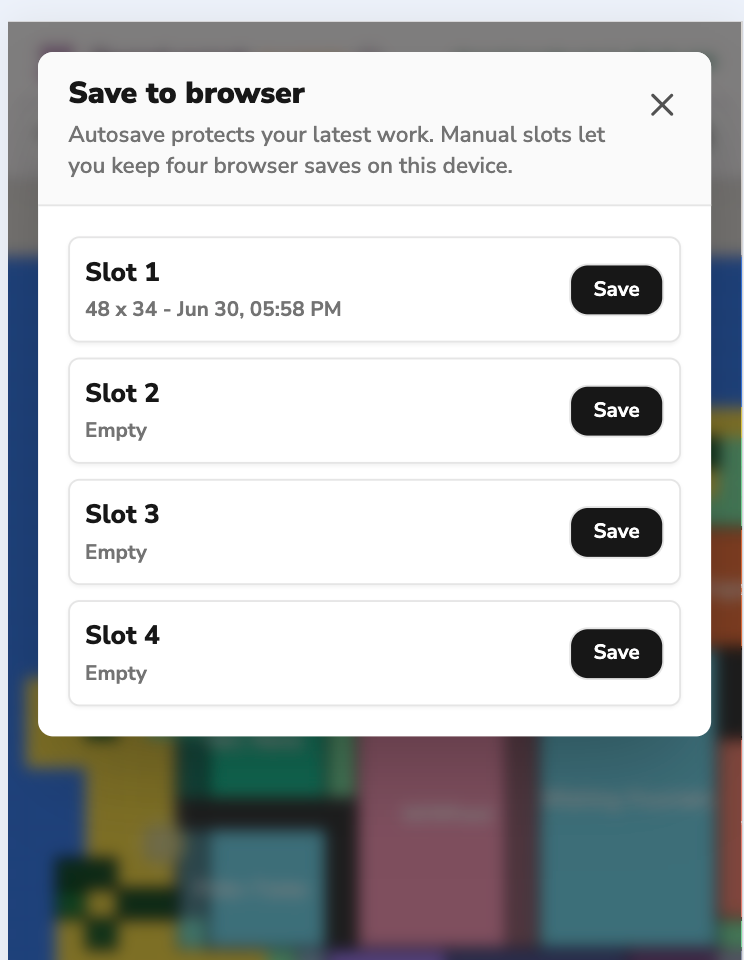
Autosave protects your latest layout, while four manual browser save slots let you keep alternate versions on the same device. Export JSON when you need a portable or long-term backup.

Start from a terrain sample

Start from a terrain sample

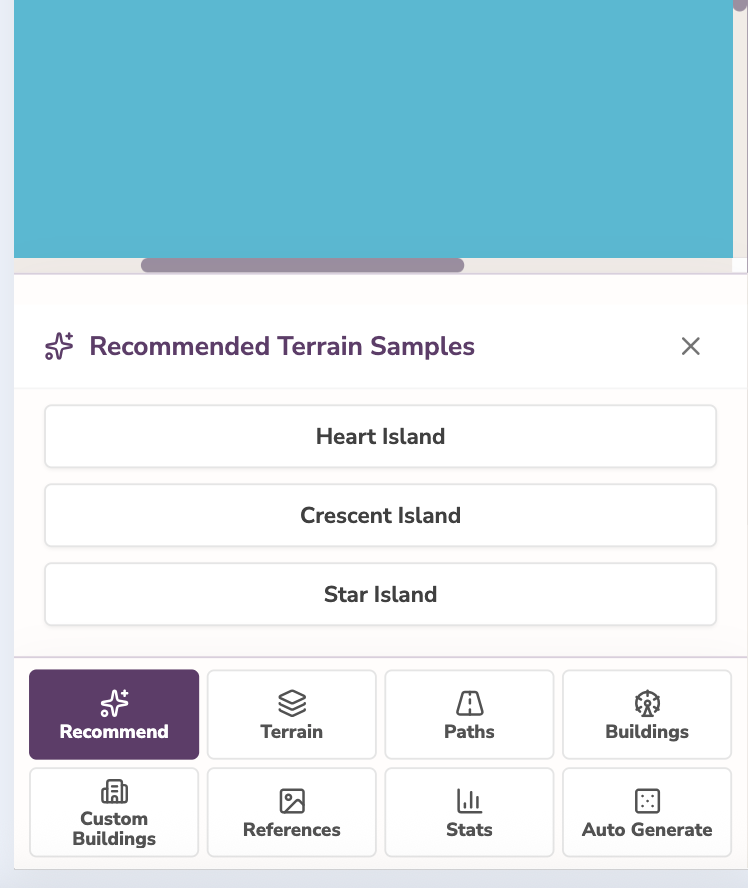
Need a quick starting point? Begin with a heart, crescent, or star terrain sample, then edit every part of the island yourself.

Plan the whole island layout with confidence

A complete browser-based island layout planner

A complete browser-based island layout planner

Shape the terrain, draw paths, and arrange buildings, homes, and decorations using dimensions that match Tomodachi Life: Living the Dream.

Terrain Paths Buildings
Inspect your layout in 3D

Inspect your layout in 3D

Rotate and zoom the 3D preview to check building and object height, crowded areas, and the overall balance of your island.

Save and export locally

Save and export locally

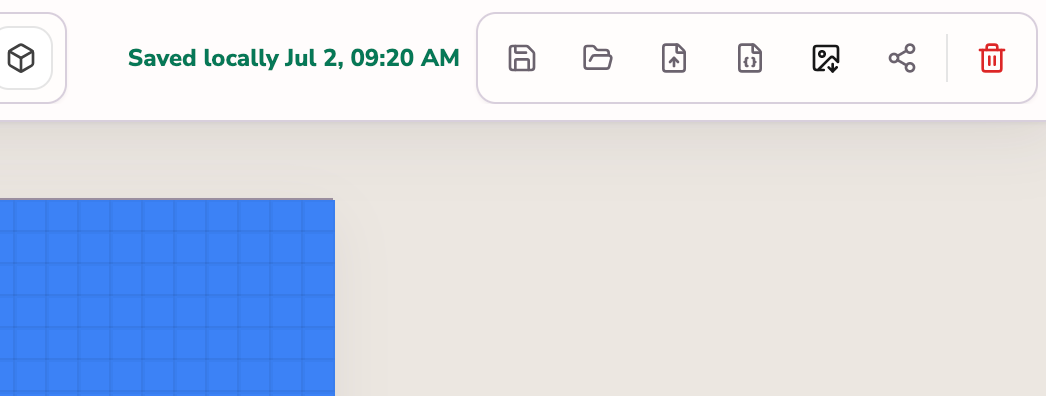
Export a share-ready PNG with a small TomoLayout logo in the lower-right corner, or export JSON to back up the editable project.

Try ideas without changing your in-game island

Try ideas without changing your in-game island

Move, rotate, replace, or undo anything in the planner before spending time rebuilding the real island.

A web planner designed for touch

A web planner designed for touch

Works in modern desktop browsers and mobile browsers on iOS and Android. Touch controls are designed for phones and tablets, while mouse and trackpad controls work on PC.

Your latest changes stay in this browser

Your latest changes stay in this browser

TomoLayout saves your layout automatically while you work. Reopen the planner on the same device and browser to continue where you left off.

More than a basic island layout grid

The planner includes the production tools already available in the editor, not just a static grid.

Plan for every stage of your island

Choose from four island sizes: the 48x34 starting island, 68x48, 88x68, and the 118x78 final expansion. Start with the size that matches your current in-game progress.

Edit large areas quickly

Paint, fill, erase, draw straight lines, select, move, rotate, and lock. Adjustable 1x1, 3x3, and 5x5 brushes make both detailed edits and large terrain changes faster.

Create a starting layout automatically

Generate a centralized, clustered, maze-like, or planned-city layout. The automatic layout generator can create a starting point, then you can lock the buildings you want to keep and generate terrain around them, or generate buildings and paths around existing terrain.

Represent player-created structures

Add a custom building with its own width, depth, name, and 3D height when the built-in catalog does not cover a structure you created in-game.

Save more than the latest draft

Autosave protects your latest layout, while four manual browser save slots let you keep alternate versions on the same device. Export JSON when you need a portable or long-term backup.

Start from a terrain sample

Need a quick starting point? Begin with a heart, crescent, or star terrain sample, then edit every part of the island yourself.

Remember who inspired your layout

Island ideas often travel across screenshots, languages, and social platforms. TomoLayout helps you keep track of public reference links while you plan, so you can remember which creators inspired your layout and include a simple creator credit when you share your own plan.

Creator credit records where your inspiration came from; it is not a license to repost, copy, or remix the referenced work. Open the original link to review the source and any available usage notes before reusing another creator’s design.

Browse archive
Find a public design linkPublic link
Pin it to your TomoLayout projectRemember who inspired your layout
Copy a creator-credit line when you sharePNG + JSON export

How to plan your island layout with TomoLayout

Start your layout

Choose the island size that matches your current in-game progress, then start with a blank layout, a terrain sample, a browser save, or an imported JSON file.

Build in 2D

Shape the terrain and arrange paths, buildings, homes, and decorations using game-matching sizes.

Inspect it in 3D

Rotate and zoom the 3D preview to check object height, crowded spaces, and the island’s overall composition.

Save or share

Continue from the browser autosave, export a JSON backup, or generate a TomoLayout-branded PNG for social media and build reference.

A safer layout workflow for rebuilding your island

Choose the map size that matches your current island expansion.
Place important homes, facilities, and buildings first.
Lock anything that must not move.
Paint or automatically generate terrain and paths around the locked elements.
Check building and object heights in the 3D preview.
Keep a manual save before trying a major alternative.
Export JSON before changing browsers or devices.
Export a PNG and keep it open as a blueprint while rebuilding in-game.

Your layout stays in this browser

TomoLayout saves the current project to local storage on this device and browser. It does not sync layouts between devices and does not store layouts on the TomoLayout server.

Clearing browser data, changing browsers, or using private browsing may remove the saved project. Export a JSON backup for any layout you want to keep.

Autosave is convenient, but it is not a substitute for a backup. Use manual browser save slots when you want to compare alternate layouts on the same device. Export JSON before clearing browser data, using private browsing, changing browsers, switching languages, or moving to another device.

Autosaves locally TomoLayout saves your layout automatically while you work. Reopen the planner on the same device and browser to continue where you left off.
Browser-based No. TomoLayout runs directly in your web browser. Clicking Open TomoLayout opens the planner on this website; it does not open an app store or download an application.
Is TomoLayout free for Tomodachi Life: Living the Dream? Yes. TomoLayout is free to use for Tomodachi Life: Living the Dream planning and does not require an account.
PNG + JSON export Export a share-ready PNG with a small TomoLayout logo in the lower-right corner, or export JSON to back up the editable project.

FAQ

Do I need to download or install TomoLayout?

No. TomoLayout runs directly in your web browser. Clicking Open TomoLayout opens the planner on this website; it does not open an app store or download an application.

Does TomoLayout work on mobile?

Yes. TomoLayout works in modern mobile browsers on iOS and Android, and it also works on desktop browsers for PC planning.

Is TomoLayout a save editor?

No. TomoLayout is a visual planning tool. It does not read, edit, or synchronize with Nintendo Switch save data.

Where is my layout saved?

The current layout is saved in this browser using local storage. It is not uploaded to the TomoLayout server.

Can I continue on another device?

Layouts do not sync automatically between devices. Export a JSON backup before moving to another device, then import the JSON file there.

What happens when I pin a reference link?

The public source link is attached to your local project as a reference note, so creator information and the original page remain easy to find.

Is TomoLayout affiliated with Nintendo?

No. TomoLayout is an independent fan-made tool and is not affiliated with, endorsed by, or sponsored by Nintendo.

Which island sizes are supported?

TomoLayout supports four map sizes: 48x34, 68x48, 88x68, and 118x78. Choose the size that matches your current island expansion.

Can TomoLayout generate an island layout for me?

Yes. The Island Auto Generator can create several types of starting layouts. Every generated result remains fully editable, so you can move, erase, lock, or replace anything afterward.

Can I keep more than one layout version?

Yes. Autosave keeps the latest version, and four manual browser save slots let you keep alternate versions on the same device. Use JSON export for a portable backup.

Can I add a custom building?

Yes. You can create a custom building by setting its width, depth, name, and 3D height.

How accurate is the 3D preview?

The 3D view is a planning preview for checking placement and relative height. It is not a recreation of Nintendo’s in-game models, textures, lighting, or camera.

Does TomoLayout work on Android?

Yes. Open TomoLayout in a modern Android browser. You can also use the same planner on iOS and desktop browsers.

Is TomoLayout a map editor or save editor?

TomoLayout is an island layout planner. It lets you create a map-like blueprint, but it does not import your existing island, edit game files, or modify Nintendo Switch save data.

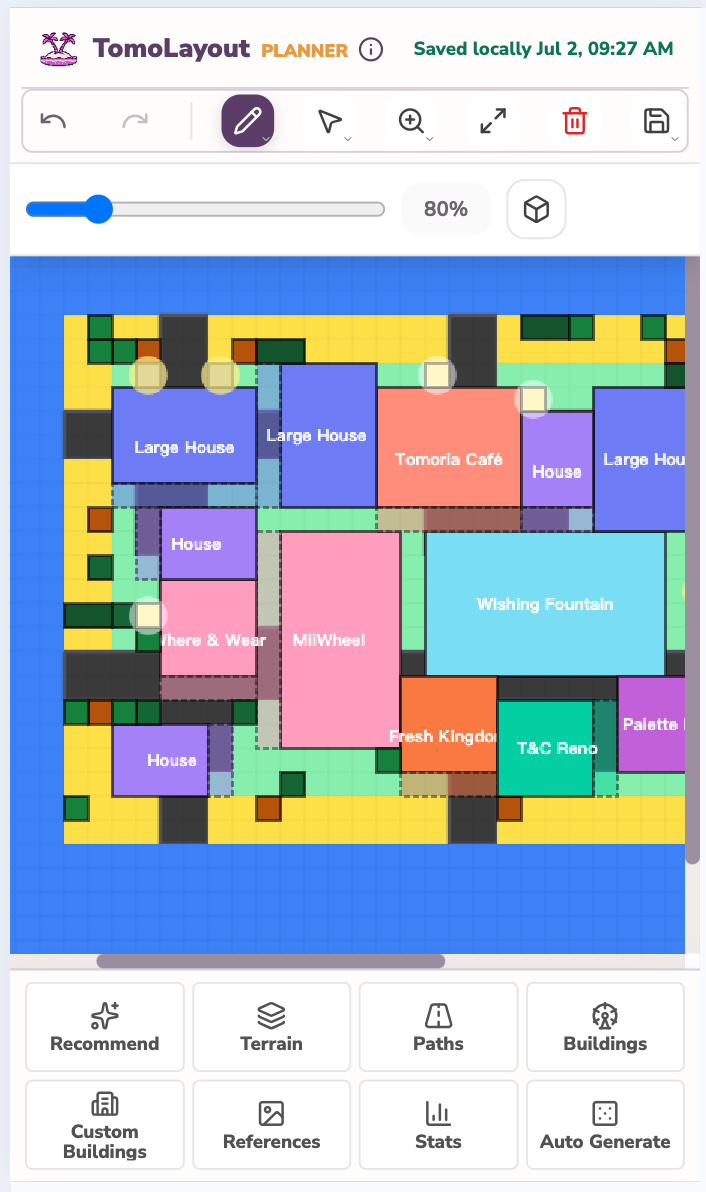
Build the layout plan before rebuilding the island.

Open the planner in your browser and start with a fresh island, a saved JSON file, or your latest browser autosave.

Open TomoLayout
Open TomoLayout