Mii Design
Step-by-Step Guide to the Universal Droopy Eye Mii Design
Published 2026-05-13
Detailed parameter tutorial to recreate droopy eyes on your Mii, with tips for face, hair, and mouth adjustments.
Original Post Text
About This Design
Detailed parameter tutorial to recreate droopy eyes on your Mii, with tips for face, hair, and mouth adjustments.
How to Use This Design
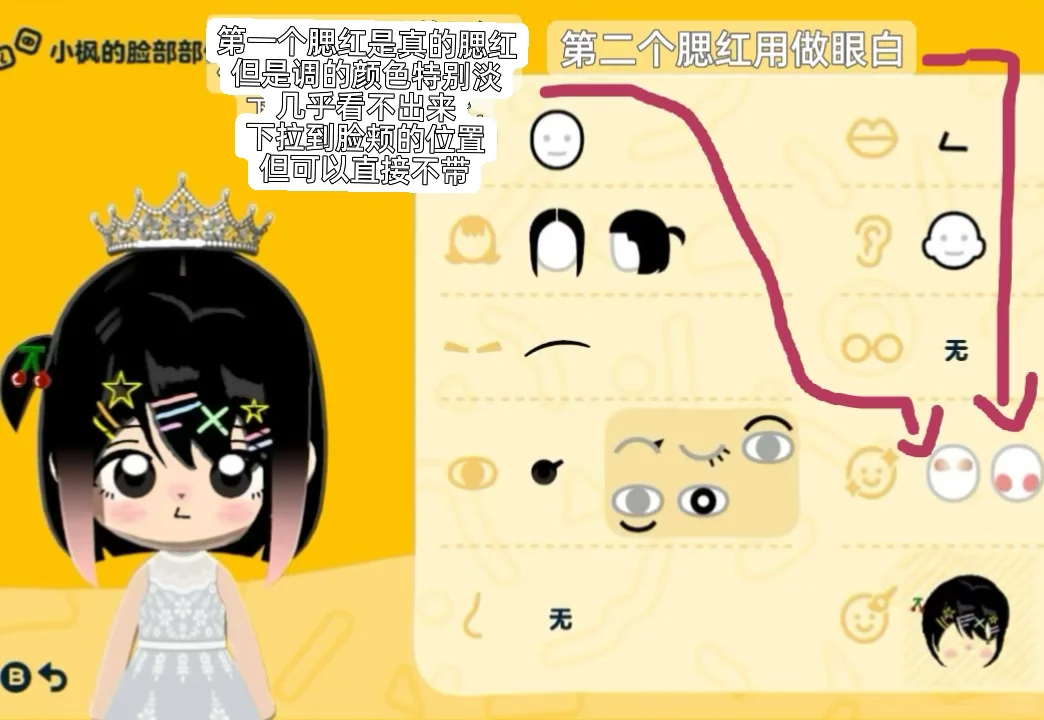
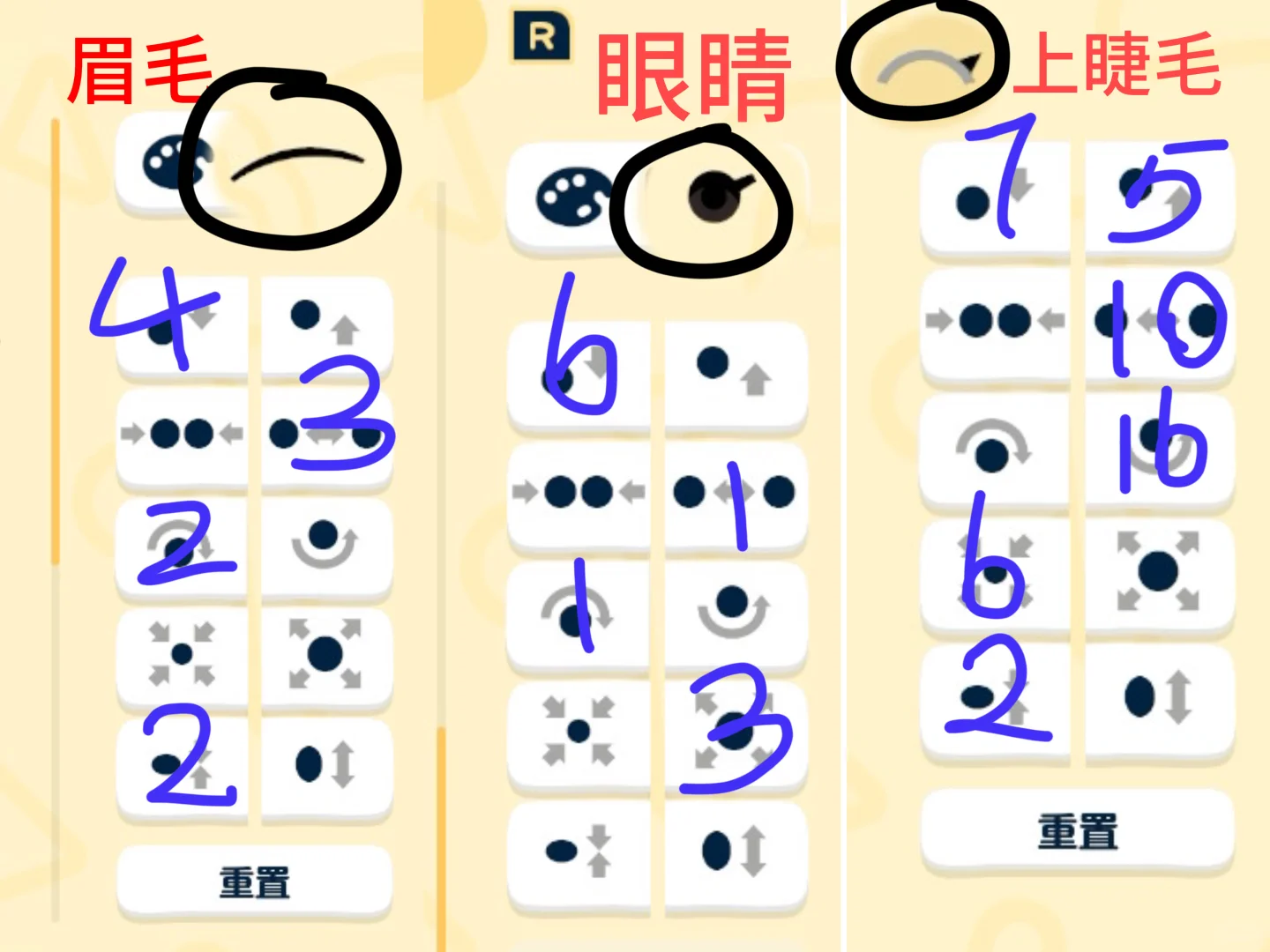
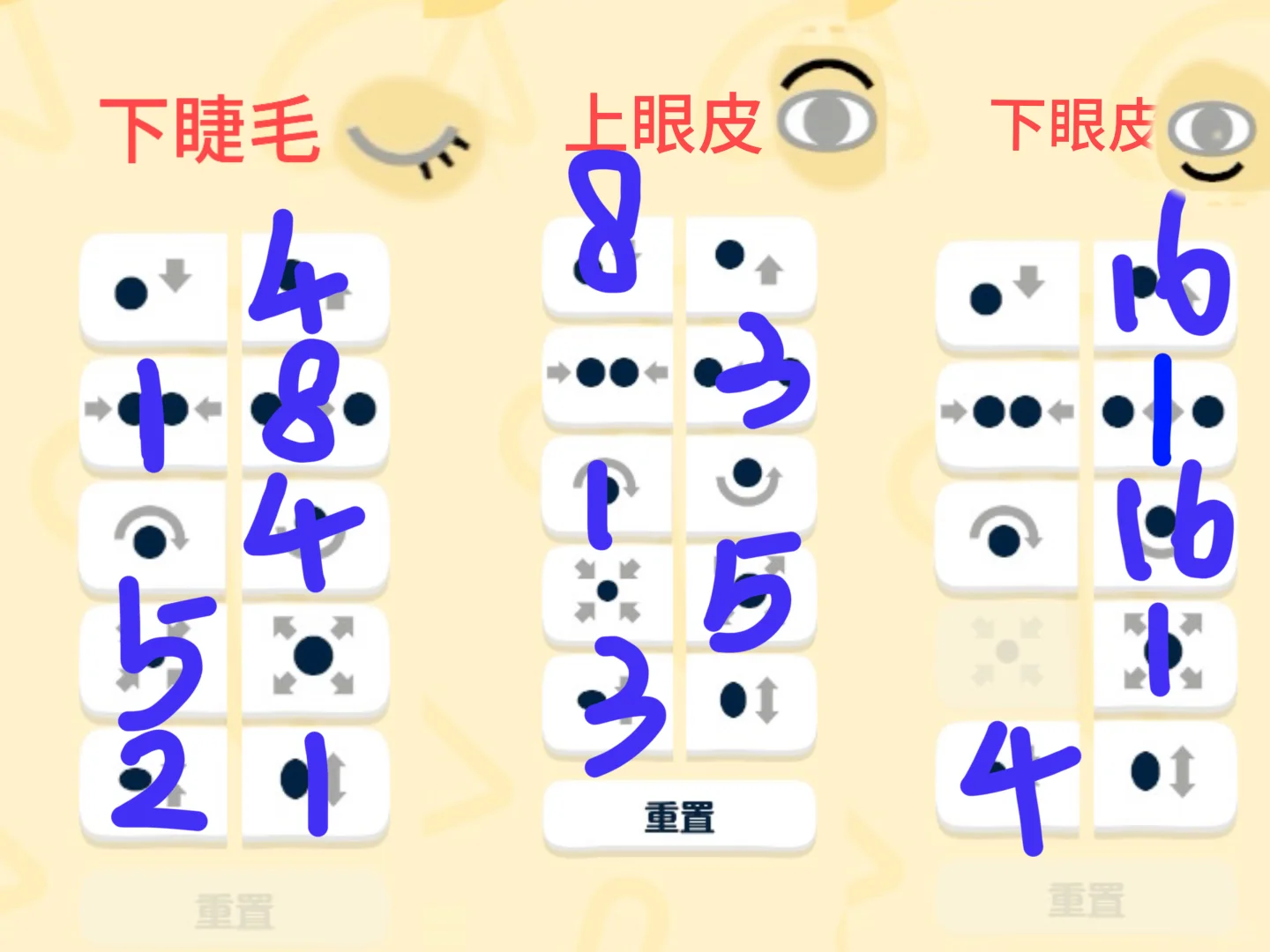
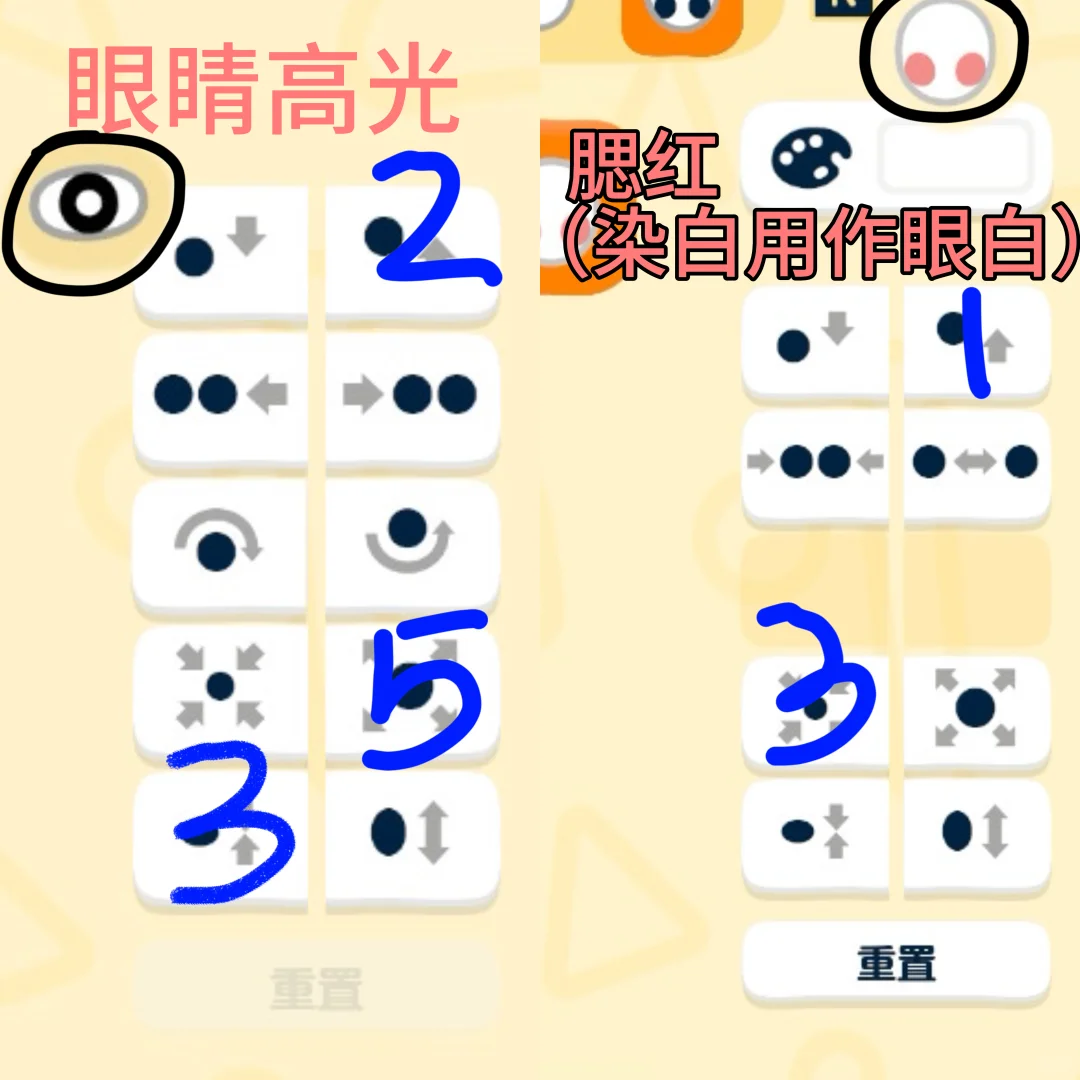
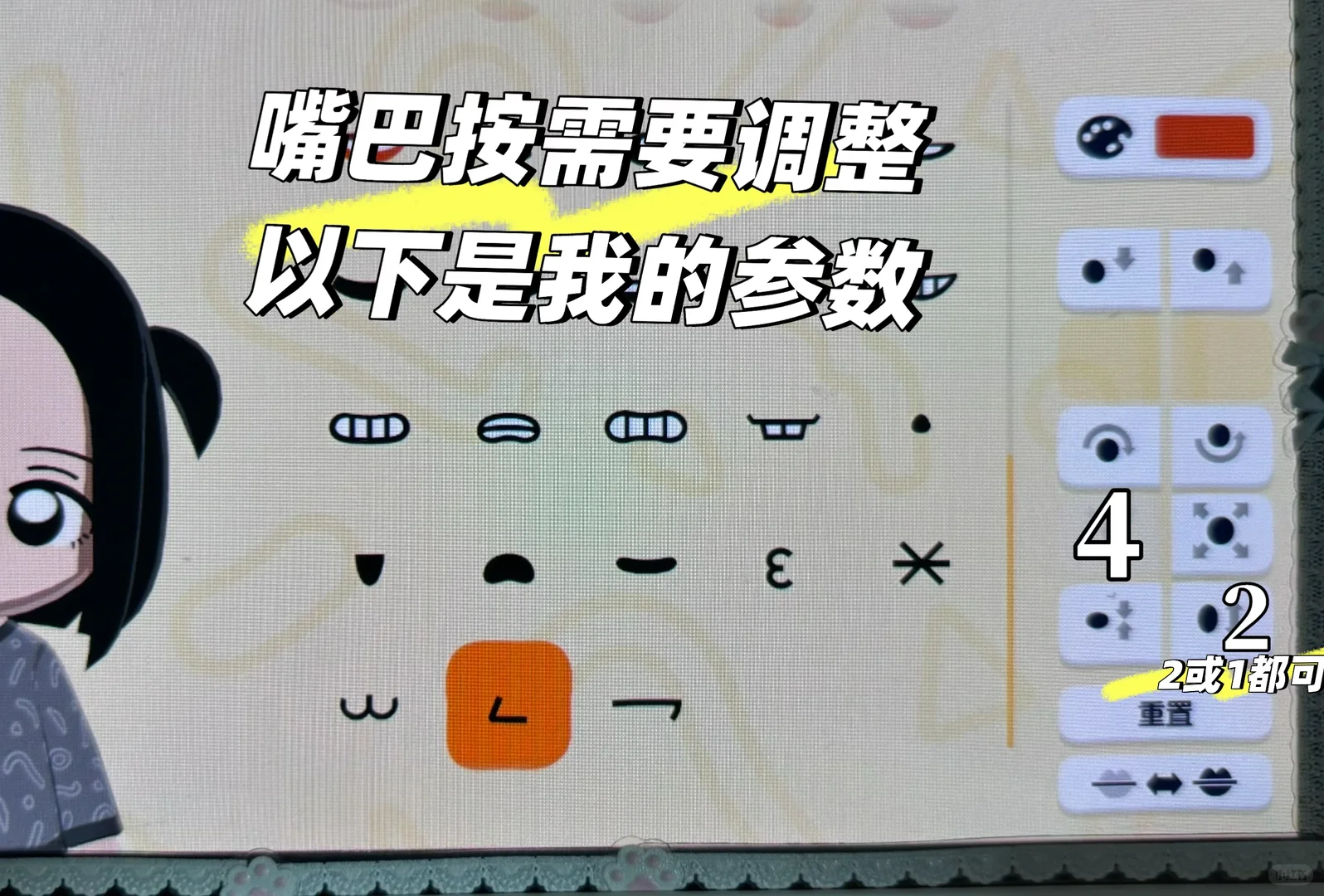
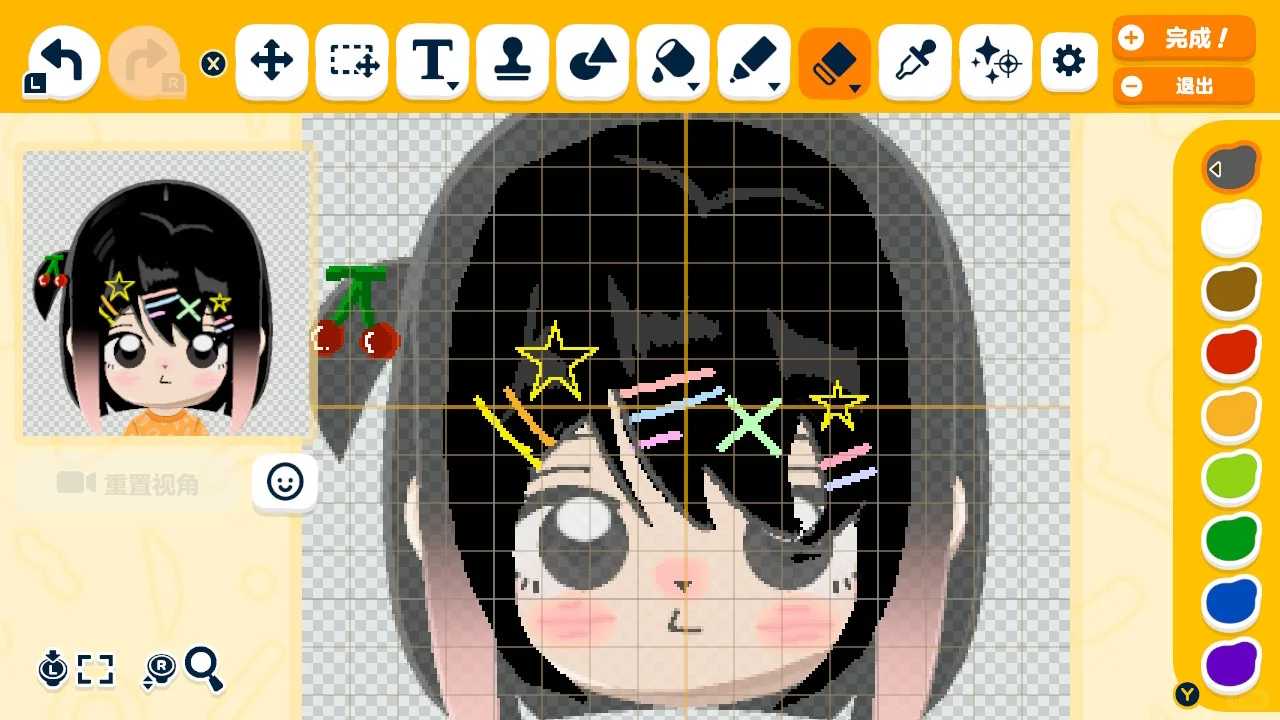
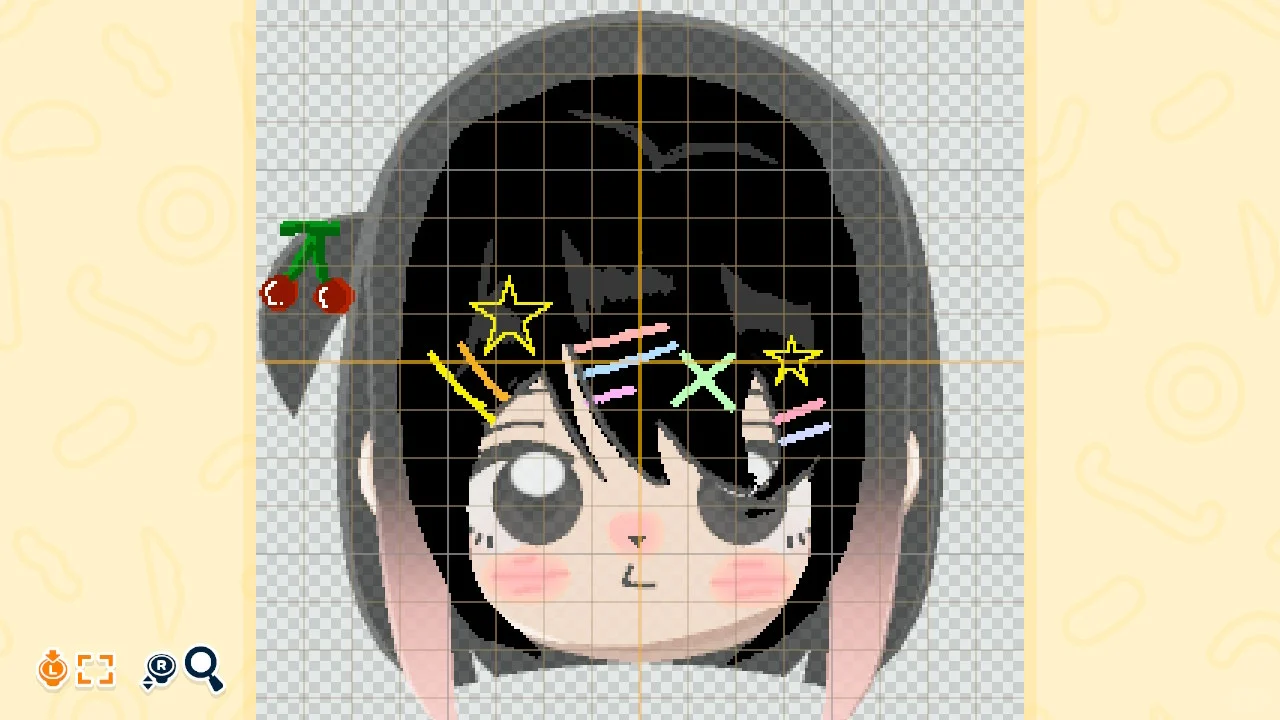
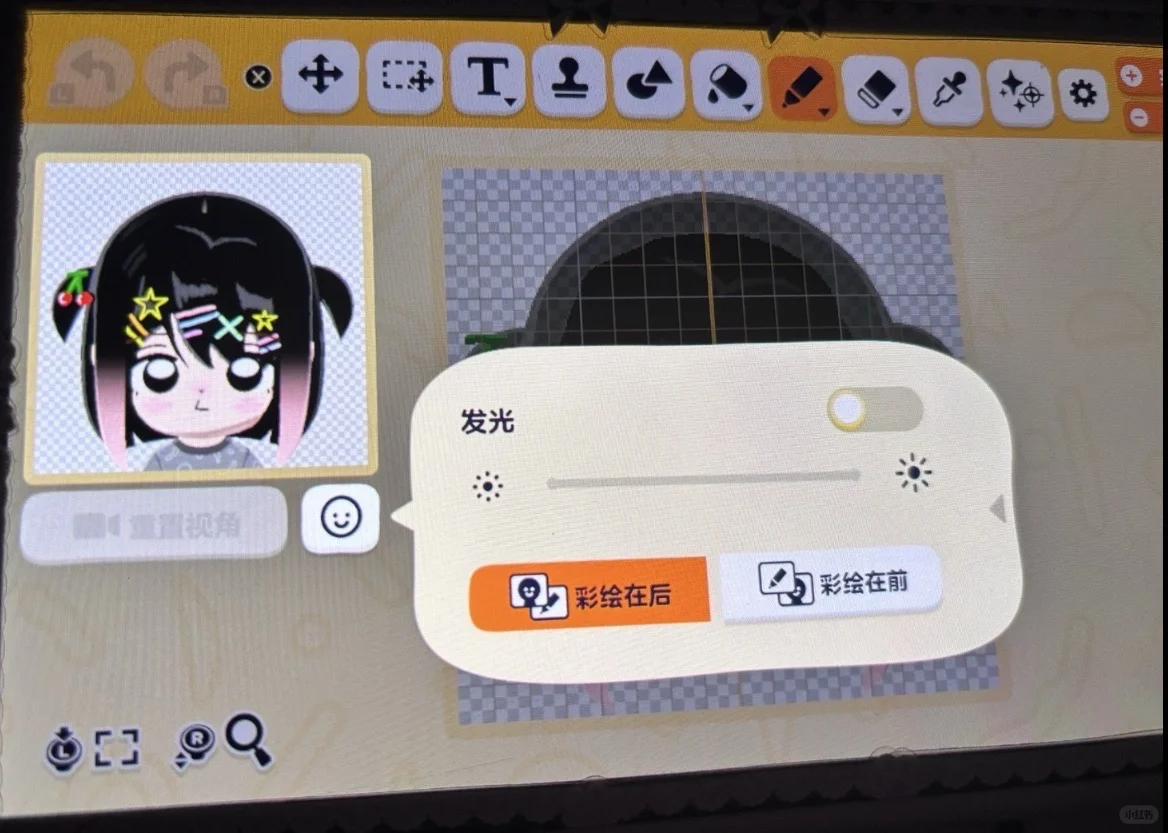
1. Follow the labeled repetition counts to recreate the droopy eye. 2. Shift features down to slim the face; draw hair or choose a bangs style to cover the forehead. 3. Shrink the default mouth or it will look off. 4. The bangs face-paint pattern sheet is at the end of the post; works with any hair color. 5. Checking face paint to 'front' hides the eyebrows; 'back' keeps them visible — see the last image for details.
Tags
Related patterns
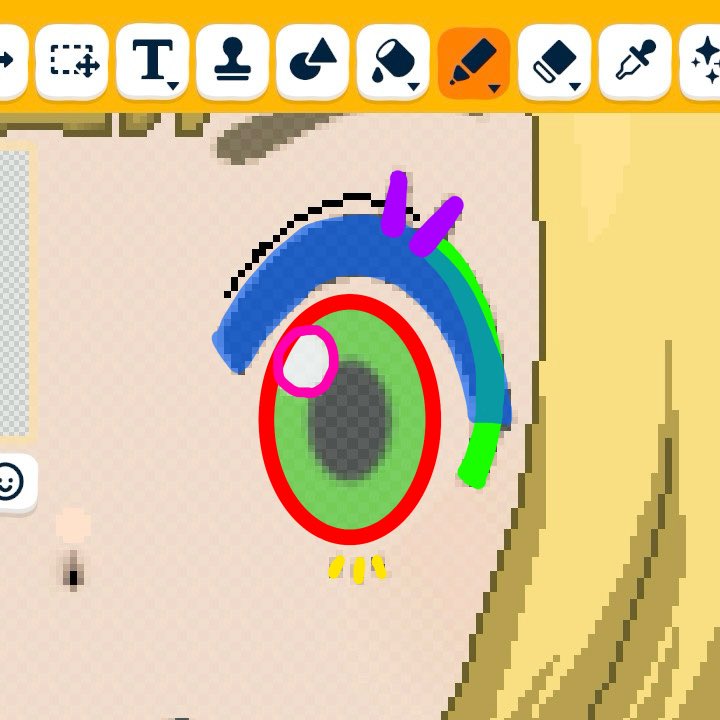
Lillie and Mallow Eye Construction Recipe
by バーチョ(RF4@社畜アースマイト)
A Mii eye recipe for Lillie and Mallow, layering the upper and lower lids with lashes to blend the offset.
View Pattern Sheet →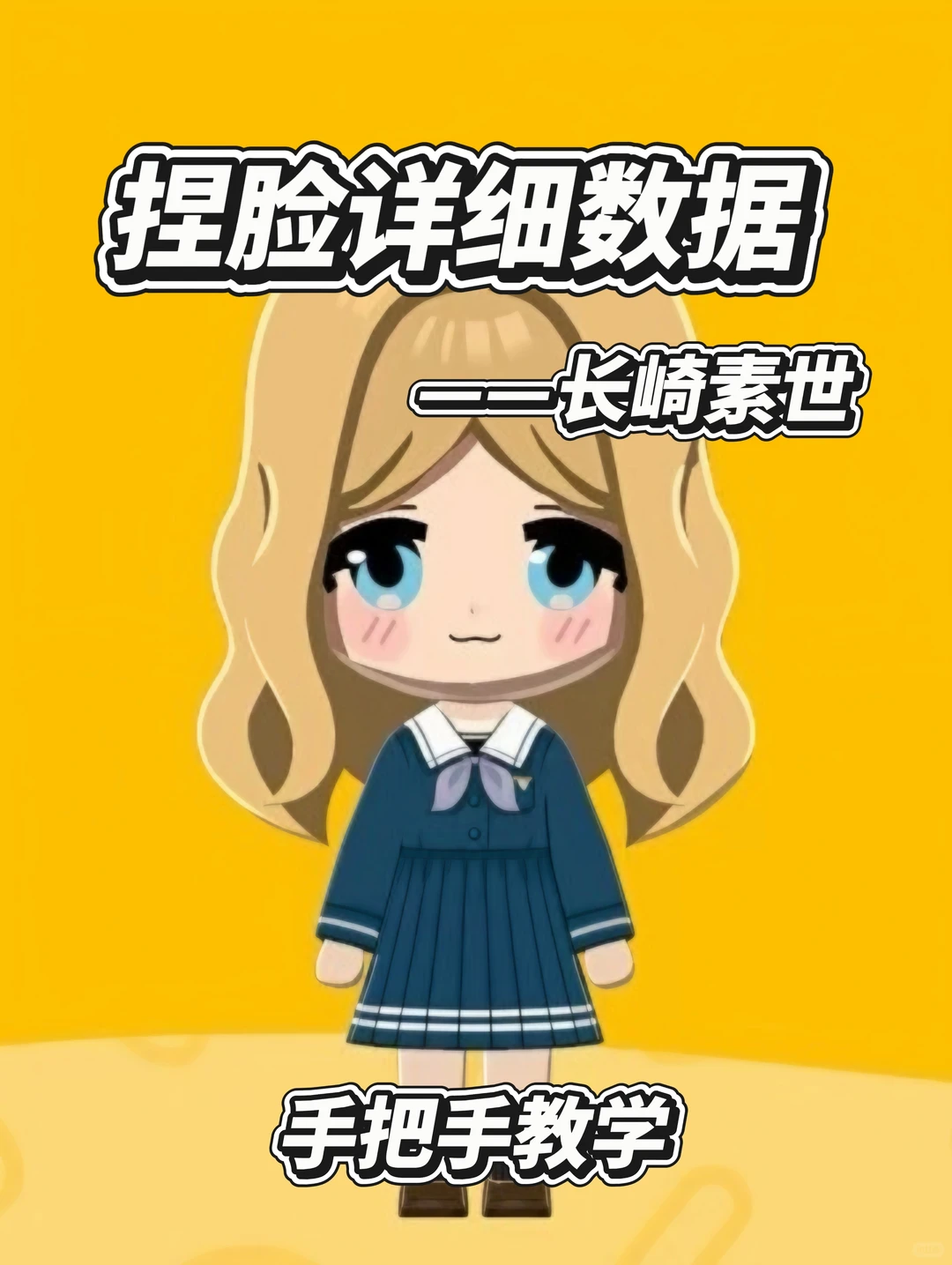
Nagasaki Soyo Full Mii Creation Parameters
by 咪睦
Full parameters for recreating Nagasaki Soyo. Only the bangs require drawing; tips included for non-artists.
View Pattern Sheet →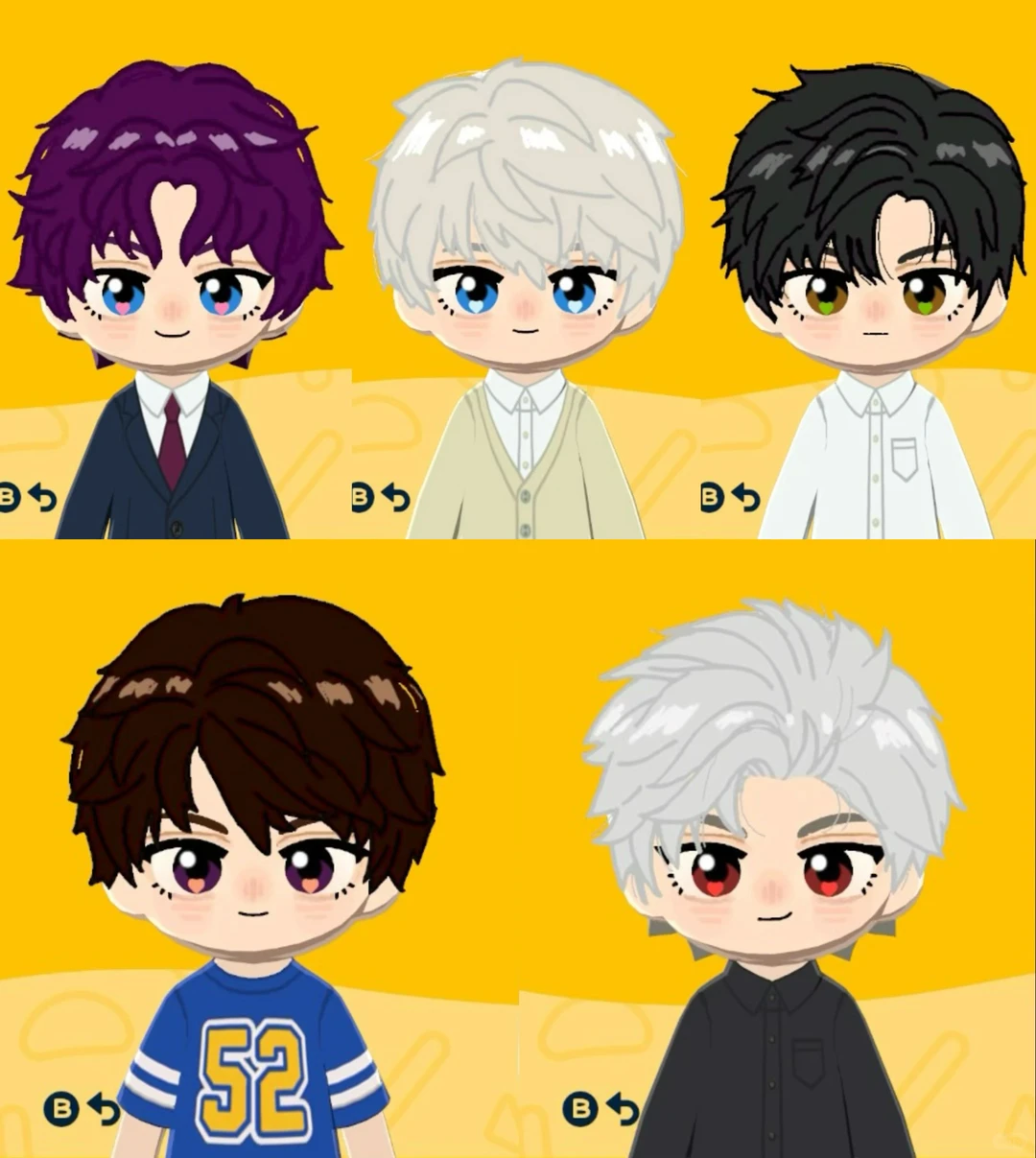
Tomodachi Life Deep Space Mii Design Template Share
by 幸福的星星
Sharing a deep space-themed Mii design template. Detailed tutorial coming soon — check the homepage.
View Pattern Sheet →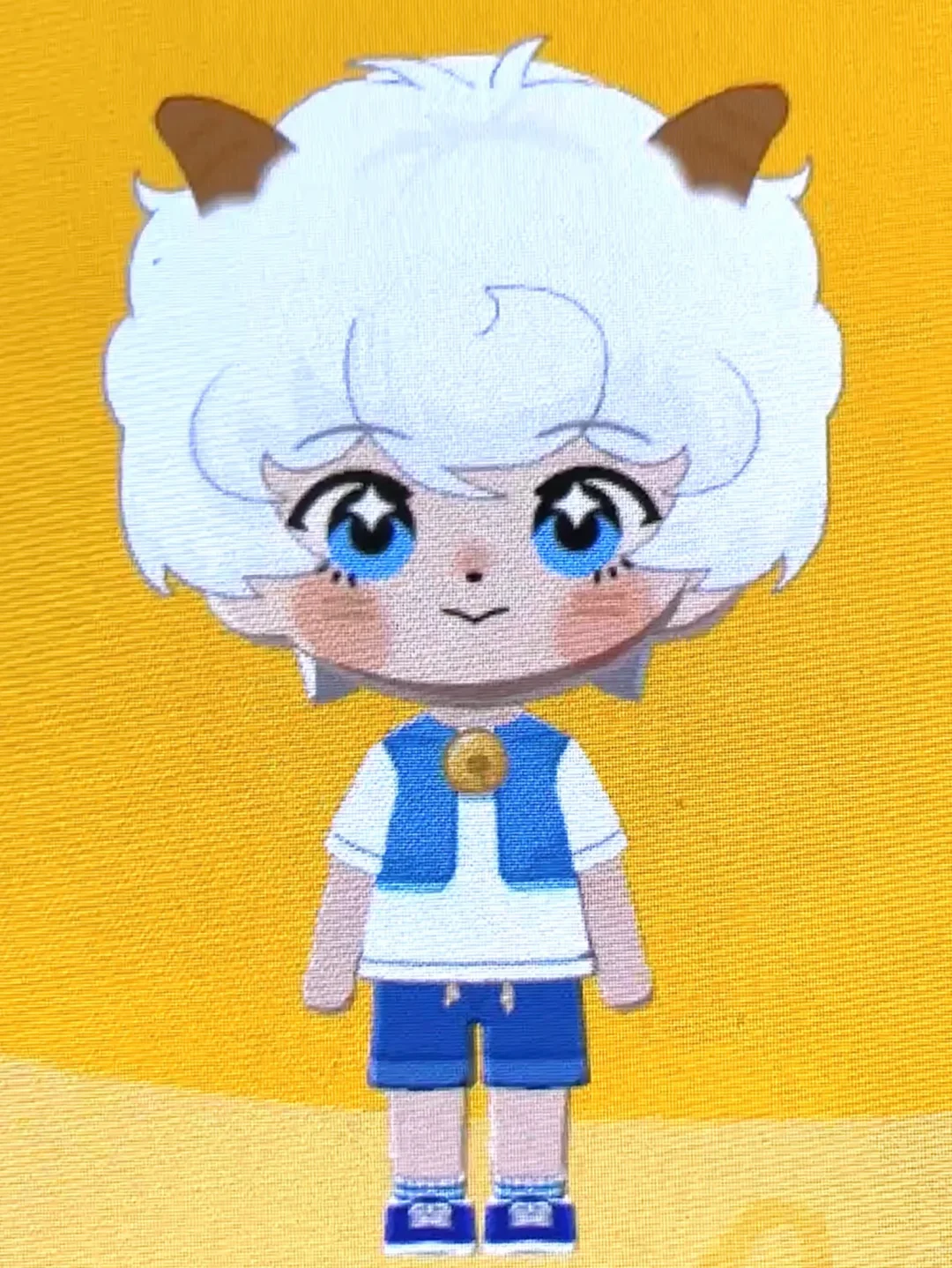
Shuaishuai Xibao Face Sculpting Tutorial (with Clothing Patterns)
by 不锈苹果
Just use white eyeshadow to adjust the eye whites to the right position~ Same goes for the blush — p12 is the blush color! If you have questions, drop them in the comments~ [wave][wave] Also, the painted details (face and clothing) don't need to be exactly like mine — my painting is pretty rough, the main goal is just that it looks okay from a distance.
View Pattern Sheet →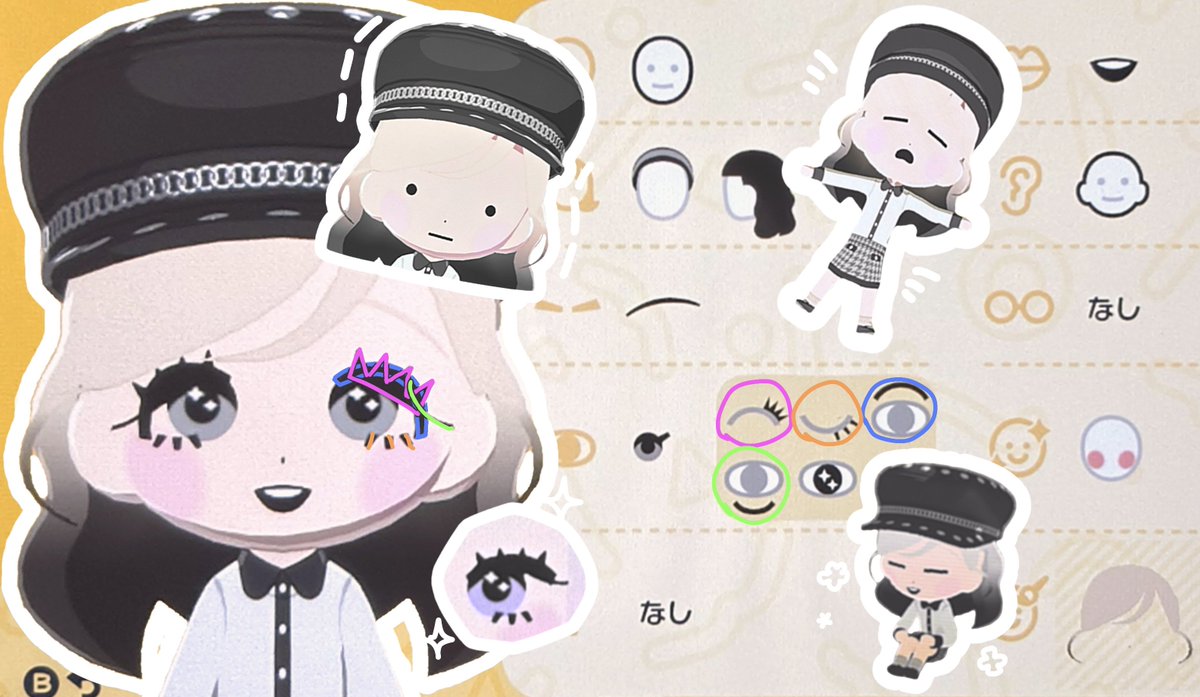
How to Create a Mii with Bold Fluttery Lashes
by karin
A guide for creating a Mii with bold, fluttery eyelashes. You can also change the double eyelid type to make upturned eyes.
View Pattern Sheet →